> For the complete documentation index, see [llms.txt](https://docs.quantpad.company/llms.txt). Markdown versions of documentation pages are available by appending `.md` to page URLs; this page is available as [Markdown](https://docs.quantpad.company/welcome-to-quant-pad.md).

# Welcome to Quant Pad

Launch and trade Solana coins on Meteora, with on-chain rules for where each coin's creator fees go.

{% columns %}
{% column width="58%" %}
Quant Pad is a launch and trading front end for Meteora on Solana. Its on-chain program, **Quantum Hooks**, decides where each coin's creator fees go: to the launcher, into burns, to holders or into locked liquidity.

Every coin is a real Meteora coin. It trades on Meteora's Dynamic Bonding Curve and, when the curve fills, graduates to a Meteora DAMM v2 pool with its liquidity permanently locked.

<a href="https://www.quantpad.company/launch" class="button primary" data-icon="rocket">Launch a coin</a> <a href="https://www.quantpad.company" class="button secondary" data-icon="arrow-up-right-from-square">Open Quant Pad</a>
{% endcolumn %}

{% column width="42%" %}
{% hint style="info" icon="atom" %}
**Four hooks, locked at launch**

Creator share, Quantum Burn, Entanglement and Fusion. The launcher sets the split before the coin exists, and nobody can change it afterwards, including Quant Pad.
{% endhint %}
{% endcolumn %}
{% endcolumns %}

## Start here

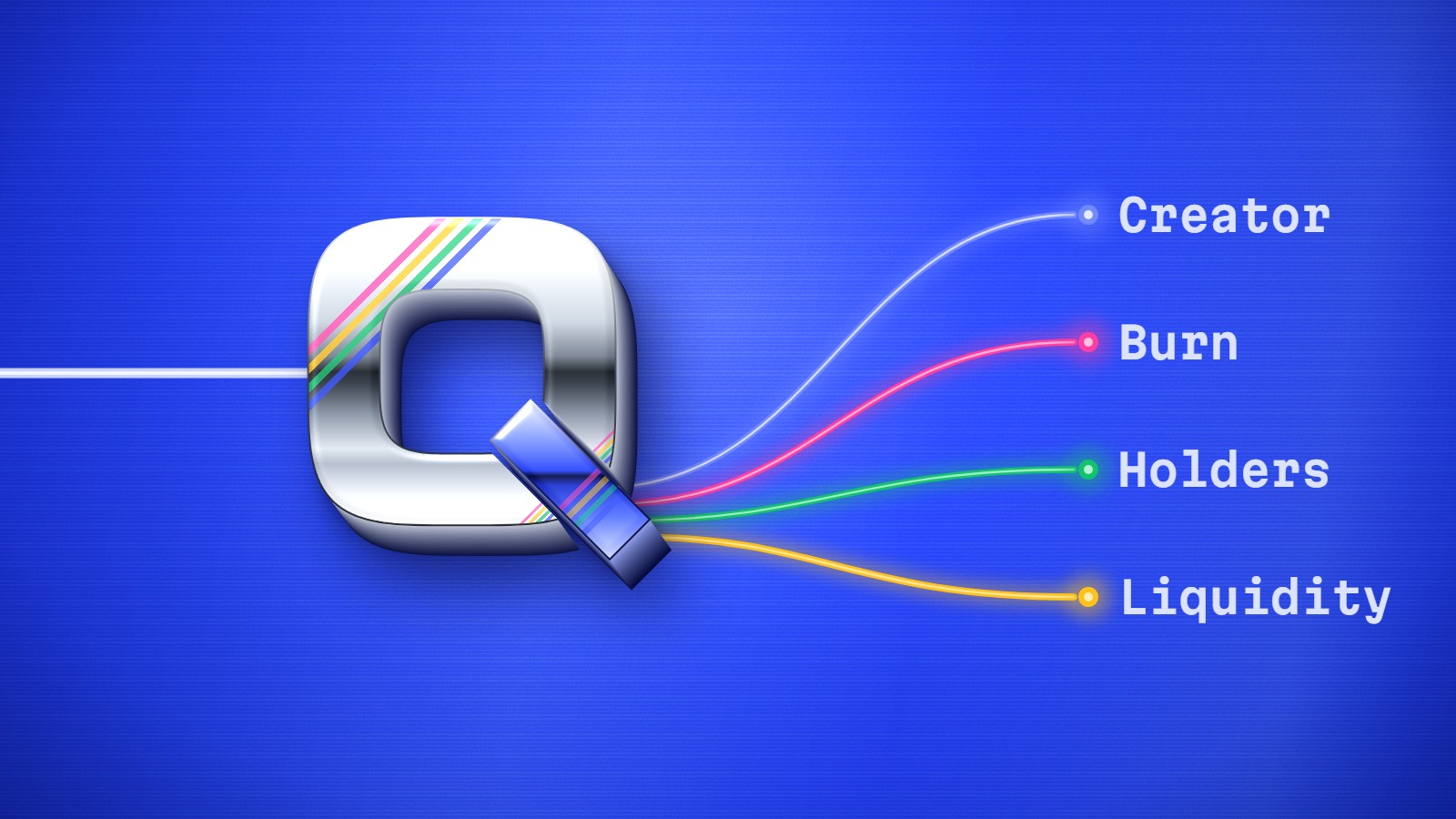
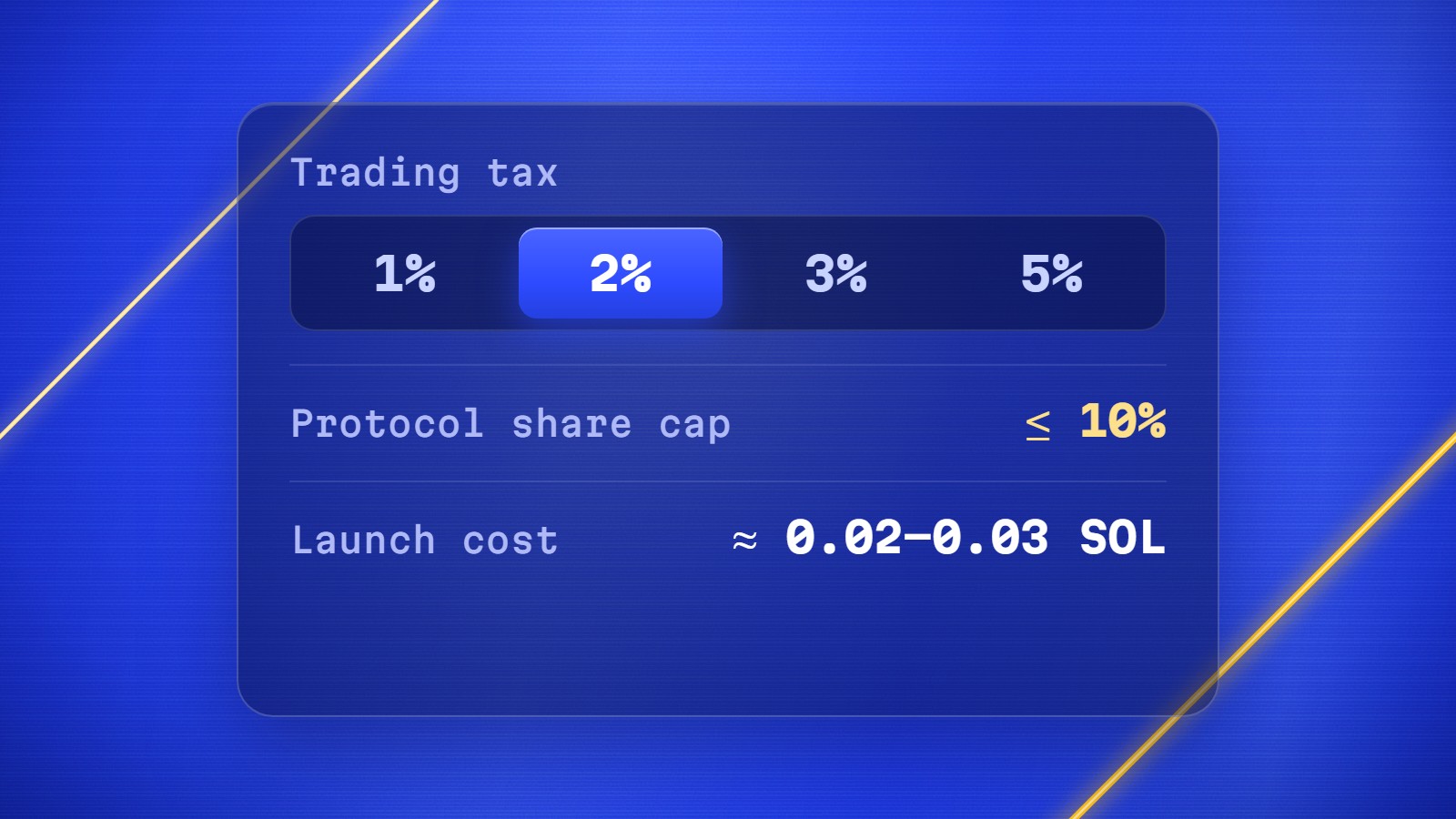
<table data-view="cards"><thead><tr><th></th><th></th><th data-hidden data-card-cover data-type="files"></th><th data-hidden data-card-target data-type="content-ref"></th></tr></thead><tbody><tr><td><i class="fa-rocket">:rocket:</i> <strong>Launch a coin</strong></td><td>Create a Meteora coin with or without Quantum Hooks, in one signing flow.</td><td><a href="https://3333211986-files.gitbook.io/~/files/v0/b/gitbook-x-prod.appspot.com/o/spaces%2FWu2Zj9LCnjL5ul1zbj2X%2Fuploads%2Fgit-blob-b782f54146e135d52e7305eaa65977a21325ddcc%2Fcard-launch.jpg?alt=media">card-launch.jpg</a></td><td><a href="/getting-started/launching-a-coin.md">Launching a coin</a></td></tr><tr><td><i class="fa-arrow-right-arrow-left">:arrow-right-arrow-left:</i> <strong>Trade</strong></td><td>Buy and sell any Meteora bonding-curve coin with SOL.</td><td><a href="https://3333211986-files.gitbook.io/~/files/v0/b/gitbook-x-prod.appspot.com/o/spaces%2FWu2Zj9LCnjL5ul1zbj2X%2Fuploads%2Fgit-blob-a708e841e4b071529f1e5210f009782200a1d695%2Fcard-trade.jpg?alt=media">card-trade.jpg</a></td><td><a href="/getting-started/trading.md">Trading</a></td></tr><tr><td><i class="fa-atom">:atom:</i> <strong>Quantum Hooks</strong></td><td>Route creator fees into burns, holder rewards and locked liquidity.</td><td><a href="https://3333211986-files.gitbook.io/~/files/v0/b/gitbook-x-prod.appspot.com/o/spaces%2FWu2Zj9LCnjL5ul1zbj2X%2Fuploads%2Fgit-blob-a14bdede861137a286a0bab3814fb01756db5df6%2Fcard-hooks.jpg?alt=media">card-hooks.jpg</a></td><td><a href="/quantum-hooks/overview.md">How Quantum Hooks work</a></td></tr><tr><td><i class="fa-receipt">:receipt:</i> <strong>Fees</strong></td><td>Trading taxes, platform fees and what a launch costs.</td><td><a href="https://3333211986-files.gitbook.io/~/files/v0/b/gitbook-x-prod.appspot.com/o/spaces%2FWu2Zj9LCnjL5ul1zbj2X%2Fuploads%2Fgit-blob-383cb934af5e98168e81fcfdeac667fbf263df95%2Fcard-fees.jpg?alt=media">card-fees.jpg</a></td><td><a href="/reference/fees.md">Fees</a></td></tr></tbody></table>

## Where the fees go

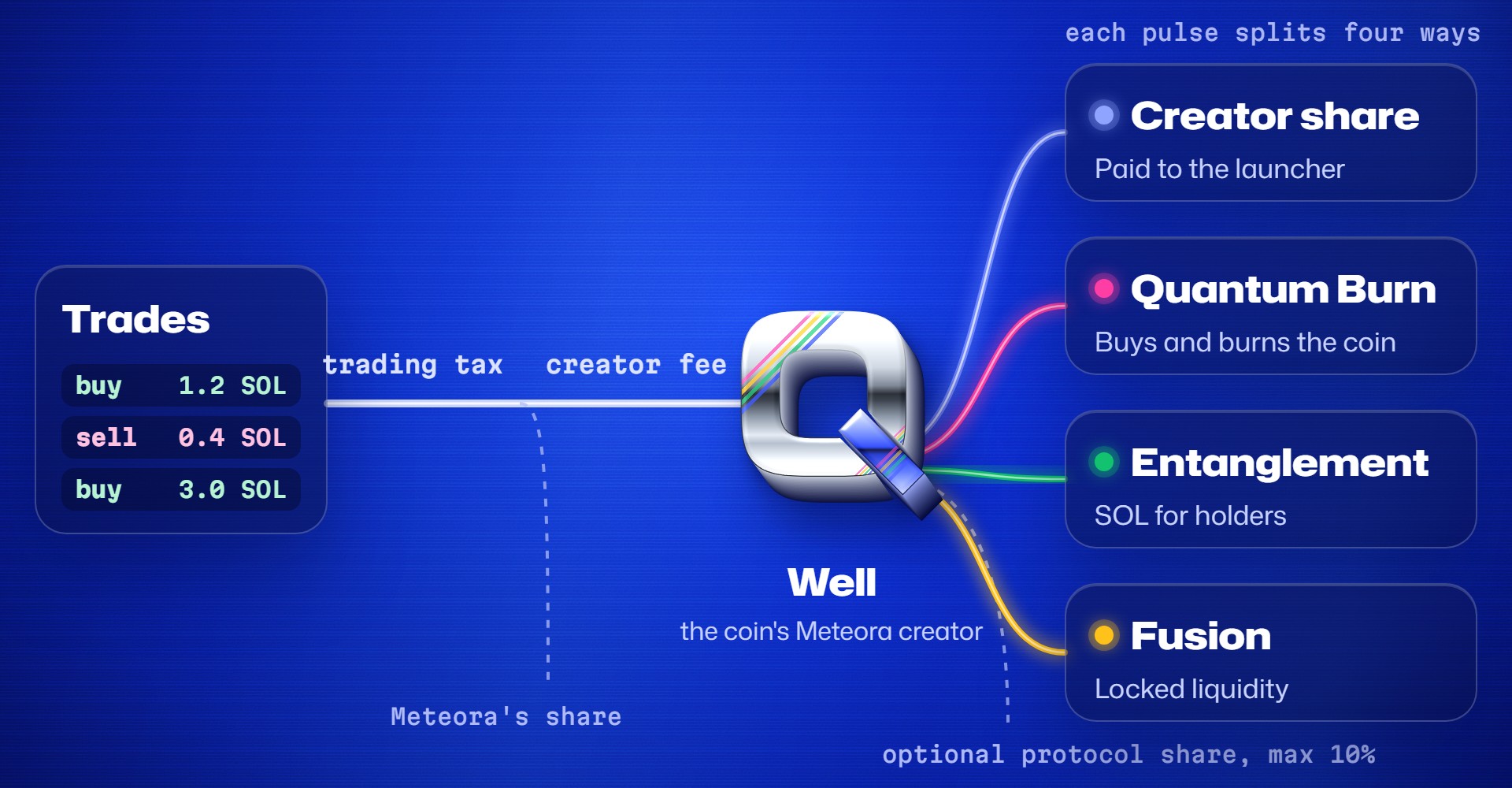
Every trade pays the coin's trading tax. Meteora keeps its protocol share, and the rest is the creator fee. For a Quantum coin, the creator is the coin's own well, and every pulse splits the well's fees across the four hooks.

<figure><img src="https://3333211986-files.gitbook.io/~/files/v0/b/gitbook-x-prod.appspot.com/o/spaces%2FWu2Zj9LCnjL5ul1zbj2X%2Fuploads%2Fgit-blob-b8d7a81907e40d5de60886076248006ed9f6cedf%2Fdiagram-fee-flow.jpg?alt=media" alt="Trades pay a trading tax. Meteora keeps its share and the creator fee flows into the coin&#x27;s well. Each pulse splits the well&#x27;s fees four ways: Creator share is paid to the launcher, Quantum Burn buys and burns the coin, Entanglement shares SOL with holders, and Fusion adds locked liquidity. An optional protocol share, capped at 10%, can be taken first."><figcaption></figcaption></figure>

<a href="/quantum-hooks/overview.md" class="button secondary" data-icon="atom">How Quantum Hooks work</a>

## Ask the docs

<button type="button" class="button primary" data-action="ask" data-icon="gitbook-assistant">Ask the Quant Pad docs</button> <button type="button" class="button secondary" data-action="ask" data-query="How do Quantum Hooks split a coin&#x27;s creator fees?" data-icon="atom">How hooks split fees</button> <button type="button" class="button secondary" data-action="ask" data-query="What does it cost to launch a coin on Quant Pad?" data-icon="receipt">Launch cost</button> <button type="button" class="button secondary" data-action="ask" data-query="Can a coin&#x27;s hook split be changed after launch?" data-icon="lock">Can the split change?</button>

{% hint style="warning" %}
Memecoins are extremely volatile and most lose all value. The Quantum Hooks program has not yet been independently audited. Read [Safety](/reference/safety.md) before you launch or trade.
{% endhint %}

## Community

<table data-view="cards"><thead><tr><th></th><th></th><th data-hidden data-card-target data-type="content-ref"></th></tr></thead><tbody><tr><td><i class="fa-x-twitter">:x-twitter:</i> <strong>X</strong></td><td>Launch news and updates from @quantpadhook.</td><td><a href="https://x.com/quantpadhook">https://x.com/quantpadhook</a></td></tr><tr><td><i class="fa-telegram">:telegram:</i> <strong>Telegram</strong></td><td>Talk to the team and other launchers.</td><td><a href="https://t.me/+3wl4eNhZcaNkNmM5">https://t.me/+3wl4eNhZcaNkNmM5</a></td></tr></tbody></table>


---

# Agent Instructions
This documentation is published with GitBook. GitBook is the documentation platform designed so that both humans and AI agents can read, navigate, and reason over technical content effectively. Learn more at gitbook.com.

## Querying This Documentation
If you need additional information that is not directly available in this page, you can query the documentation by asking a question.

Perform an HTTP GET request on the following URL with the `ask` and `goal` query parameters:

```
GET https://docs.quantpad.company/welcome-to-quant-pad.md?ask=<question>&goal=<user_goal>
```

`ask` is the immediate question: it should be specific, self-contained, and written in natural language.
`goal` is what the user is ultimately trying to achieve, the reason they need the answer. Sharing it helps GitBook give you a better, more relevant answer. A goal is most helpful when it describes the outcome the user wants rather than restating the question. For example, with `ask=how do I create an API token`, a goal like `automate deployments from our CI pipeline` lets GitBook tailor the answer to that use case.

The response will contain a direct answer to the question and relevant excerpts and sources from the documentation.

Use this mechanism when the answer is not explicitly present in the current page, you need clarification or additional context, or you want to retrieve related documentation sections.
